Boards, lists and the calendar
Set up clients, projects, statuses and tags, then run the work in All Tasks.
Tides is the delivery board for the active workspace. The sidebar is Today, All Tasks, Templates, Bridge and Settings. Open it from ShellStack → Apps so you are on the organisation account.
Set up the workspace
- Pick the workspace Everything you see belongs to it. Organisation names are changed in ShellStack, not here.
- Open Settings → Projects This screen is the directory: clients, projects, statuses and tags. Editors manage them. Members use them.
- Create a client, then a project A project has a name, client, colour or icon, description, and public or private. Archive it when the engagement ends.
- Name the statuses your team actually uses Statuses are the columns, shared by every project in the workspace. New workspaces start with Backlog, To do, In progress, In review and Done. Tick Final on the status that means done. The screen will not delete a final status. Add an Agent Inbox column only if a Shelly crew should pick cards up from the board.
- Add tags if you categorise across projects Tags are workspace labels. Deleting a tag removes it from every task.
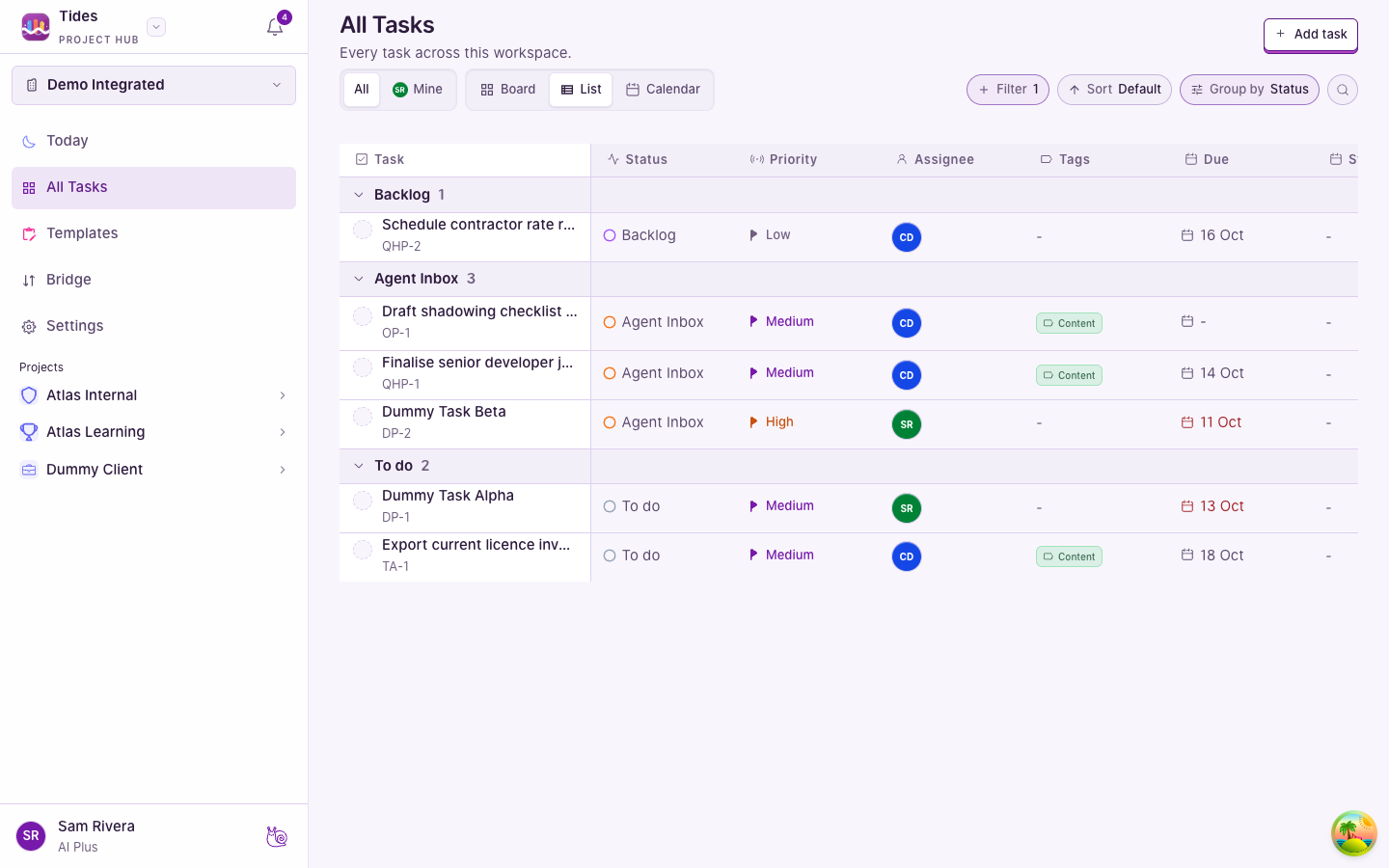
All Tasks
- All shows every task you can see. Mine shows your open tasks. Your avatar marks Mine.
- Board is columns. Drag within a column to reorder. Drag to another column to change status.
- List groups and sorts. Group by status, project, client, assignee, priority, tag or due bucket.
- Calendar shows tasks that have a start or due date, in Month, Week, Day or Agenda. Click an empty cell to create a task on that date. The workspace-wide calendar asks which project first. Drag a task in Month or Week to reschedule it. Dragging onto a different person, status or project is refused, with an explanation, rather than silently reassigning the card.
- Filters — search, priority, project, client, assignee, status, tag, completion, due date — stick for this workspace on this browser.
The same views open for one client or one project. Undated tasks stay in the board and list. The calendar counts them and does not draw them as events.
Who can change the board
| You are a… | You can |
|---|---|
| Member | Read, comment, and create, edit, move, delete and complete tasks. |
| Editor | Also manage clients, projects, statuses and tags. |
| Admin | Also manage people, rates, invites, integrations and workspace settings. |
| Owner | Also delete the workspace and change another member’s role. Organisation workspace names still belong to ShellStack. |