Crews, skills and memory
Build a snail, attach the skills and tools it may use, and store the facts it should remember.
Shelly is the workspace’s AI hub. A crew is shown as a snail. It is not a user account. It has instructions, skills, tools and memory, and it cannot change your data until a person approves the write. Open Shelly from ShellStack → Apps. It is listed when the organisation is on an AI plan. Chat, Snails, Work and Review queue are always in the sidebar. Skills, Integrations and Memory are under Capabilities. Routines, Runs, Source watches and Activity are under Automation & history. Tool approvals, Credentials and Settings are under Workspace settings.
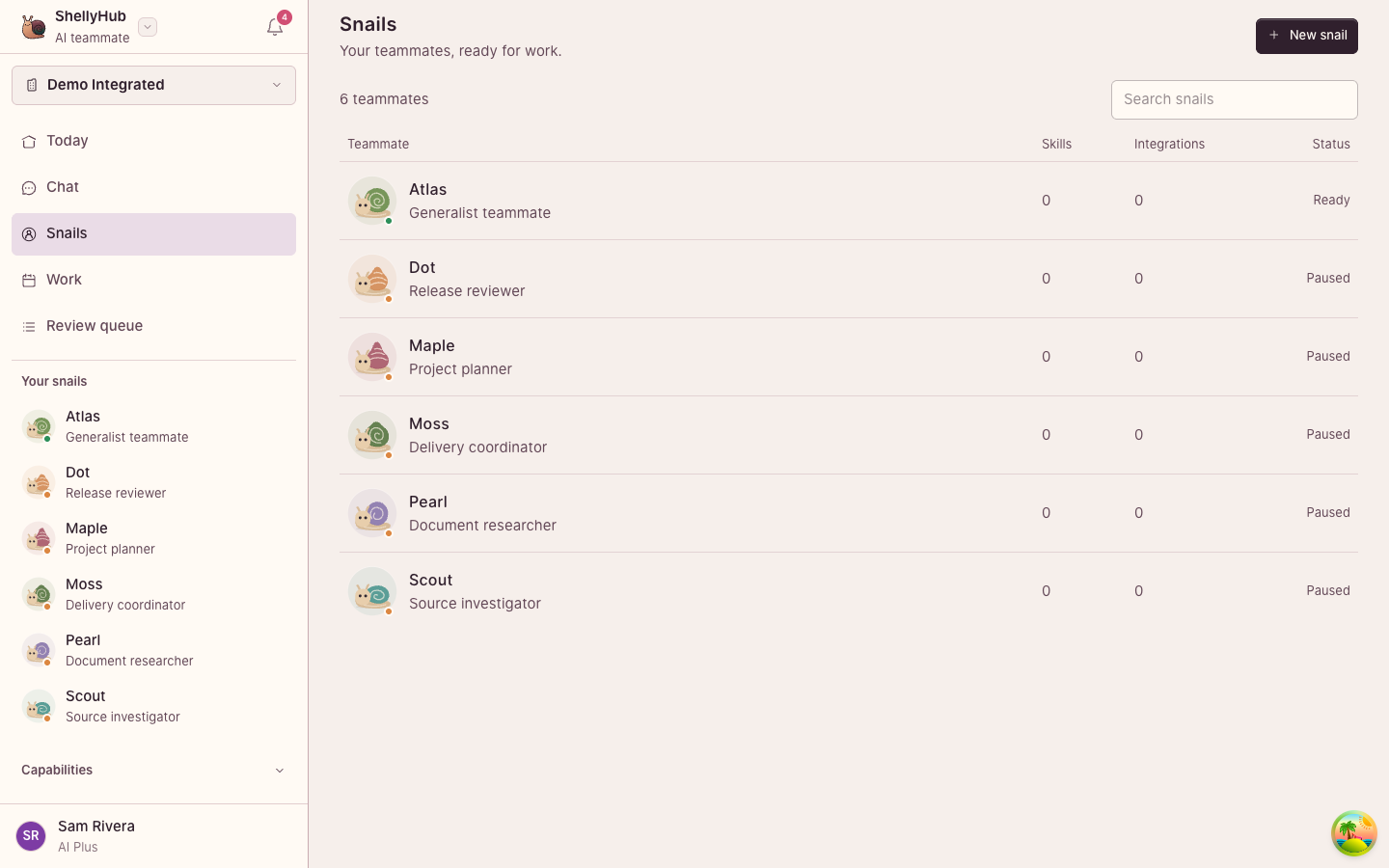
Make a snail
- Open Snails and press New snail Name it. The name is unique in the workspace.
- Choose a model, or leave the workspace default Add an operating role and the instructions. Pick a shell species and colour so people can tell crews apart. The species is an identity, not a different engine.
- Create it, then pause it when it should not run Pause and resume from the snail’s page. You cannot archive a snail that still has a run in progress.
Each meaningful change to the instructions is kept as a version. A run records the version it used, so you can answer which instructions produced a result.
Skills
A skill is a playbook. The snail sees the name and description first, and loads the full instructions only when the task needs them. Open Skills to read the catalogue, including the suite playbooks for writing, boards and time. Admins create, edit, import and attach skills. Attach a skill from the snail’s connections, or from Skills. A workspace skill with the same name overrides the built-in one for that snail. Admins can search a public skill directory and import the Markdown after reading it. Shelly does not install a remote package on its own.
Integrations
Integrations are tool servers the snail may call. Admins register a remote server, then attach it to a snail. Every tool call from an attached server waits for a person in Tool approvals. You can limit a snail to named tools. Local command-line servers are listed for later and are not executed from this screen. A remote address has to be a public HTTPS URL.
Memory and credentials
- Memory is durable context for the workspace, searched by meaning and by keyword. On a snail you can save a memory as an episode, a fact, a preference or an insight.
- Credentials store references to secrets, not the secret pasted into a prompt. Admins manage them. Point a tool at a credential rather than writing the value into instructions.
- Settings holds the workspace provider, notifications and the defaults snails inherit.